
01
Find the repeats.
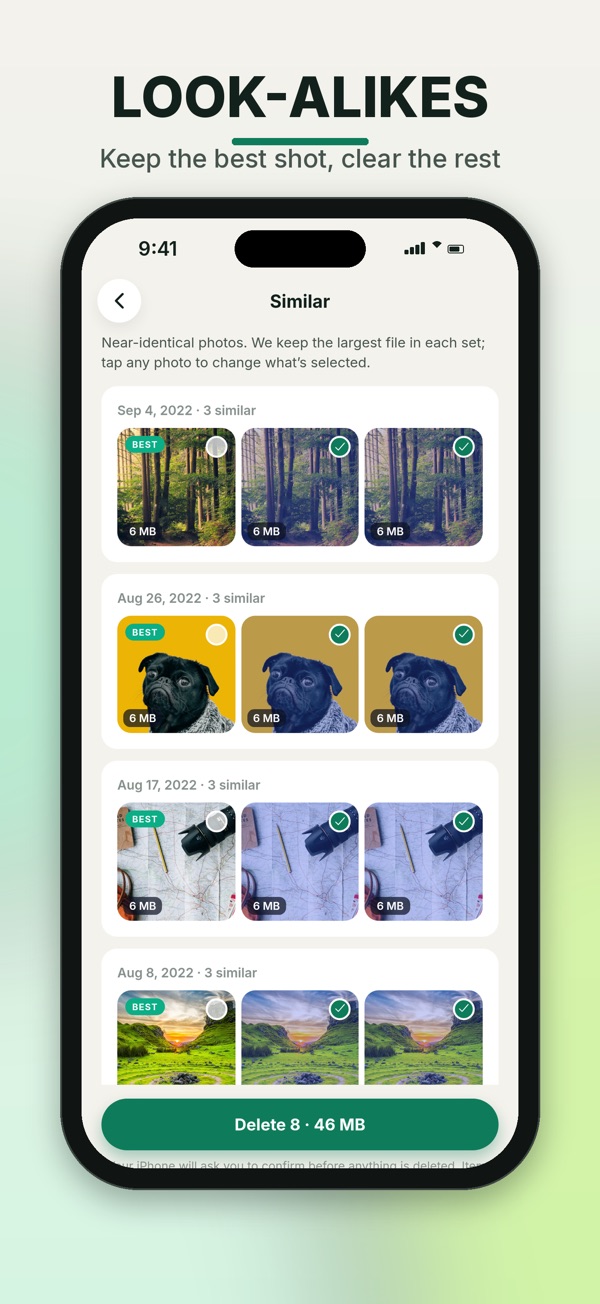
Review duplicate and similar photos together. Compare the near-identical shots and choose the ones you want to keep.
Your favorite shot is your choice.
A calmer camera roll
Your camera roll holds more than photos. Klenzer helps you review the repeats, old screenshots, and large videos—without deciding for you.
Free to scan and review. 10 free action items daily. Pro available.
Review at your pace
Choose what to remove
Confirm before deleting
A little less clutter
Start with a small corner of your camera roll. There’s no need to sort everything at once.
Review duplicate and similar photos together. Compare the near-identical shots and choose the ones you want to keep.
Your favorite shot is your choice.
Find old screenshots and large videos in one place. Take a second look at what you no longer need before removing it.
Useful once doesn’t mean useful forever.
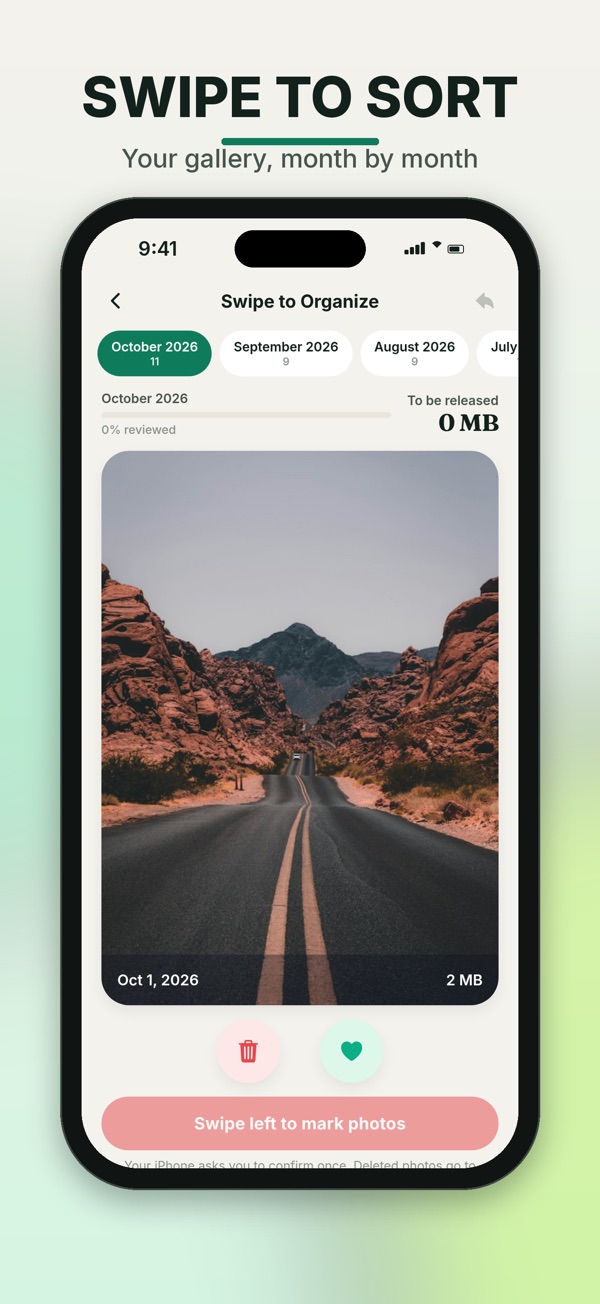
Swipe through your gallery month by month. Left marks a photo for deletion. Right keeps it. Review your choices and confirm afterward.
A swipe is a choice—not a deletion.
You’re in control
The final say always belongs to you, not the app.
Scan your library and take a closer look at the items Klenzer groups for you.
Pick what to keep and what to remove. You can change your selection before confirming.
Review your selection, then confirm with your iPhone’s deletion prompt. Nothing happens automatically.
Deleted photos and videos go to Recently Deleted. To reclaim space, you need to empty it in the Photos app. Klenzer cannot do this for you. Restore anything you want to keep before permanently deleting it.
A couple of thoughtful extras
Find contacts with the same name, phone number, or email. Preview the result before merging. Missing phone numbers and emails are copied to the contact that stays; other details, like addresses and notes, are not copied.
Secret Album keeps photos encrypted on your iPhone, unlocked with Face ID or a PIN. It holds photos only and is not a cloud backup. Deleting the app deletes the album, so keep a separate copy of irreplaceable photos.
Klenzer’s privacy approach
Klenzer’s published privacy policy states that photos, videos, and contacts are processed on your device and never uploaded.
Free & Klenzer Pro
Scanning and reviewing are free. Here’s what’s included when you’re ready to take action.
10free action items daily
One daily allowance, shared across these actions—not 10 per feature.
No daily action limit.
Keep deleting, merging, and adding to Secret Album beyond the free allowance.
Prices are shown in the app.
Monthly and yearly subscriptions automatically renew unless canceled at least 24 hours before the current period ends. Manage or cancel in your App Store account settings. Trial eligibility applies to new subscribers. Prices are shown in the app. Terms of Use.
Good to know
Your memories deserve a little care. Here’s what to know before you begin.
Need a hand? Get helpNo. You review the items and choose what to remove. Swiping left only marks a photo for deletion; swiping right keeps it. You confirm afterward, including your iPhone’s own deletion prompt. You can cancel instead of deleting.
Deleted photos and videos go to Recently Deleted in the Photos app, where you can restore them for up to 30 days. If you permanently delete them there, they cannot be restored from Recently Deleted. Check your selection carefully before confirming.
Deleted items still take up space while they are in Recently Deleted. To reclaim that space, open Photos, go to Recently Deleted, and permanently delete the items you no longer need. Klenzer cannot empty it for you. Restore anything you want to keep before emptying it.
Scanning and reviewing are free. Without Pro, deleting photos and videos, merging contacts, and adding photos to Secret Album share one allowance of 10 free items each day—not 10 per feature. Pro removes that daily limit and adds Live Photo conversion to still images. Prices are shown in the app.
According to Klenzer’s published privacy policy, photos, videos, and contacts are processed on your iPhone and are not uploaded. The app requires no account and has no tracking, ads, or analytics. Photos permission is needed to review your library; contacts access is optional for merging.
No. Photos stored only in iCloud are not included in Klenzer’s measurements. Your library size and the space you can reclaim depend on what is stored on your iPhone and what you choose to delete.
Monthly and yearly subscriptions include a seven-day free trial for new subscribers and renew automatically unless canceled at least 24 hours before the current period ends. Manage or cancel in Settings → your name → Subscriptions. The lifetime option is a one-time purchase with no trial. All prices are shown in the app.
Secret Album stores photos only, encrypted on your iPhone and unlocked with Face ID or a PIN. It is not a cloud backup. Deleting Klenzer deletes Secret Album and its contents, and a forgotten PIN cannot be recovered. Keep a separate copy of photos you cannot afford to lose.
No. Klenzer helps you review photos, videos, and duplicate contacts. It does not clear system files, caches, or other apps’ data, and it does not promise a faster phone or a specific amount of storage saved.
A fresh look at your library
Review your photo clutter with Klenzer.
You choose what stays, every time.
For iPhone · iOS 16.4 or later · In-app purchases