Alarm Klock
iPhone · AndroidAlarm Klock is a wellness app for iPhone and Android. An alarm clock that actually gets you out of bed. Mission alarms: math, memory, typing, Color clash, and movement tasks such as squats, a plank, a walk or a QR scan.
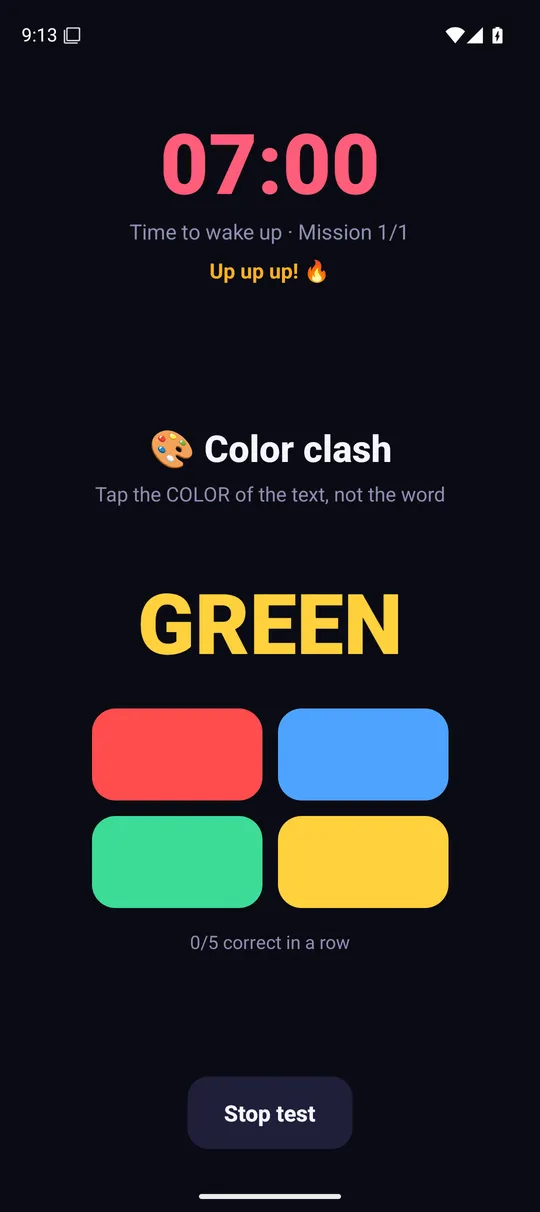
Alarm Klock screenshots
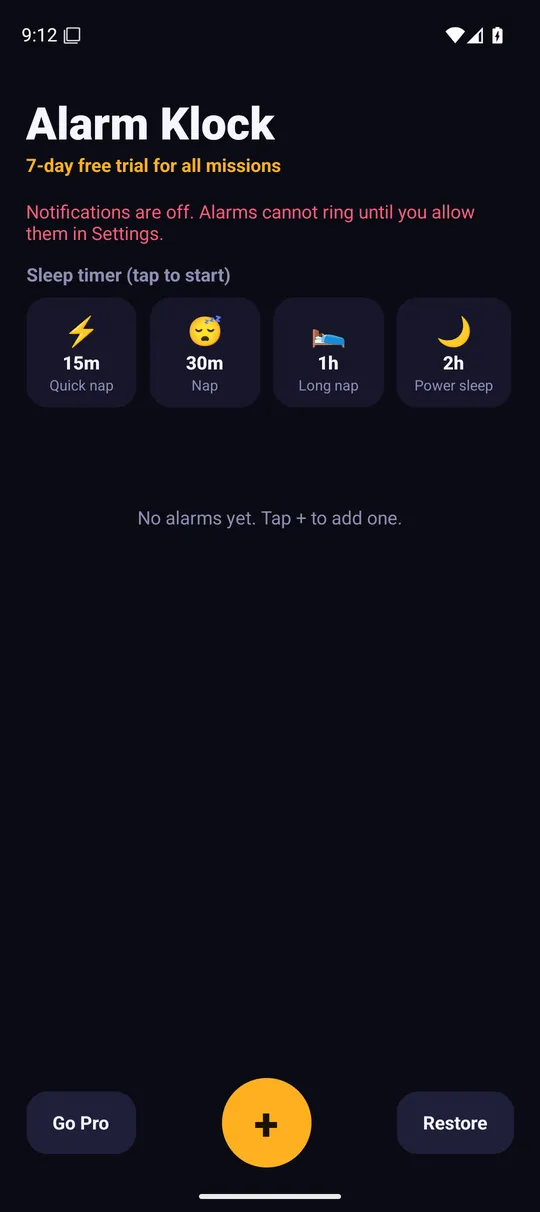
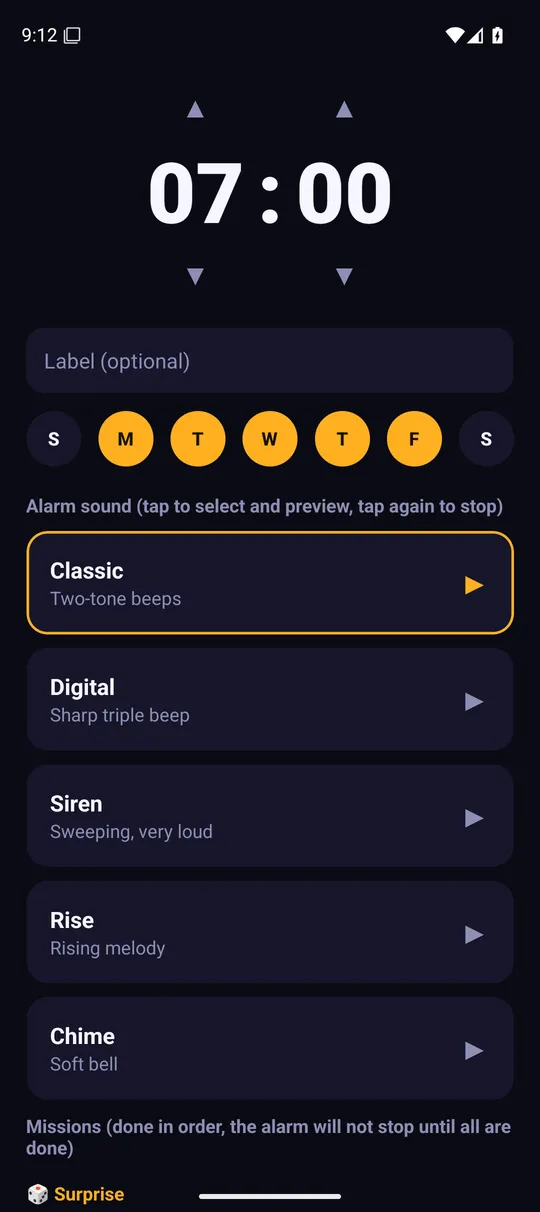
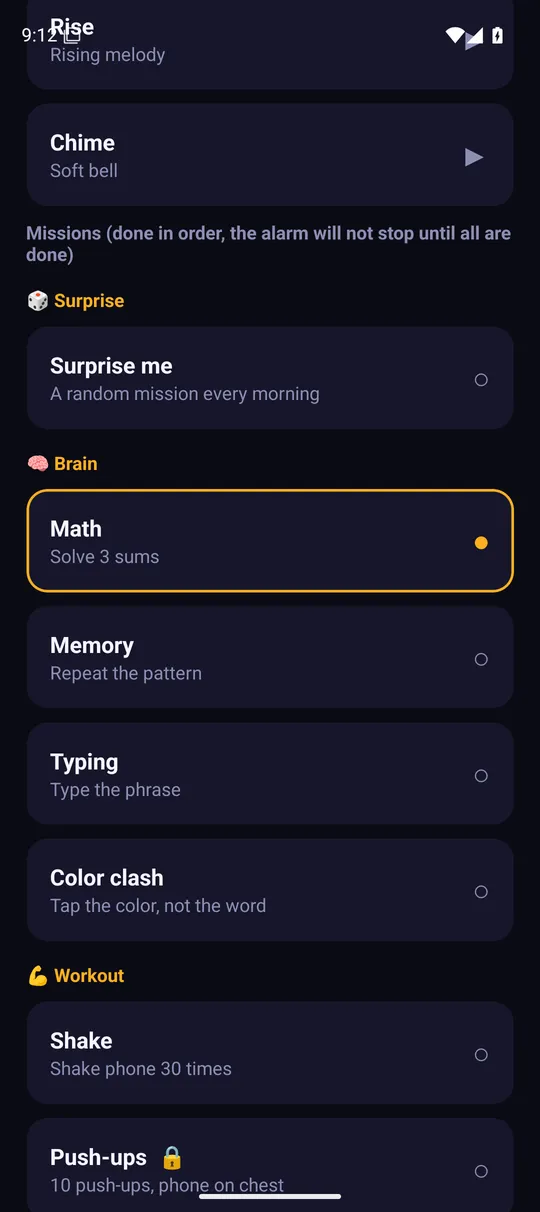
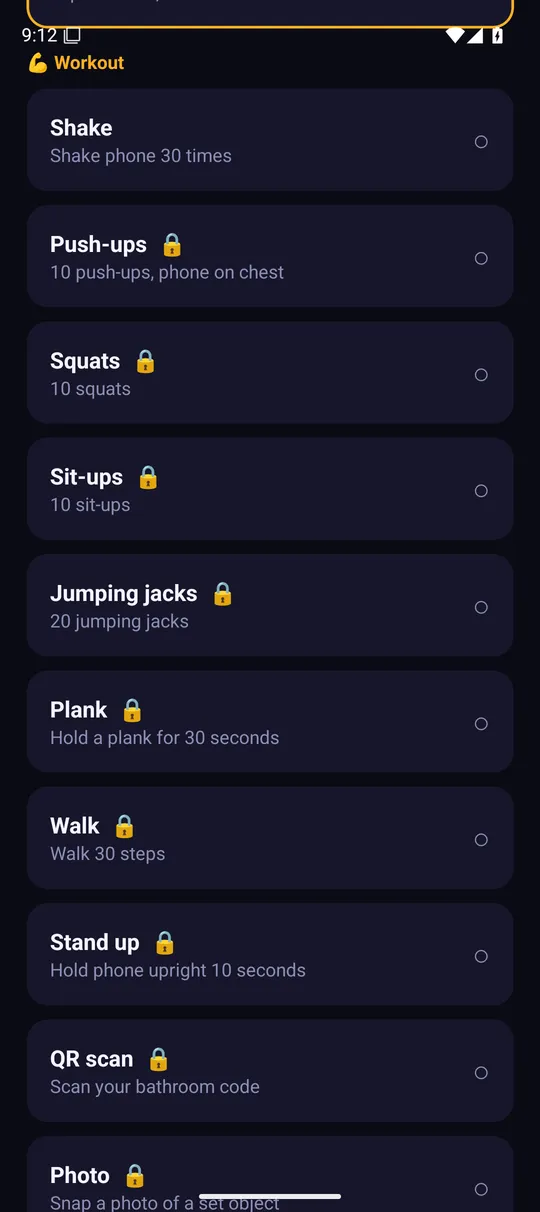
Screenshots from the app on iPhone.
About Alarm Klock
Alarm Klock is an alarm clock built to get you out of bed. Mission alarms keep you awake after you switch the alarm off, so you cannot just tap snooze and fall back asleep.
It was designed by studying what people dislike about other alarm apps and turning each complaint into a fix.
Alarms that need you awake
A normal alarm only asks you to touch a button. A mission alarm asks you to do something that needs you awake, which is the point. Alarm Klock is built around that idea.
How Alarm Klock works
- 1
Set an alarm
Choose the time and a mission.
- 2
Wake up to it
The alarm rings until you complete the mission.
- 3
Stay awake
Mission alarms keep you up after you turn the alarm off.
Alarm Klock at a glance
| Category | Wellness |
|---|---|
| Platforms | iPhone, Android |
| Status | Live on the App Store |
| Pricing | 7-day free trial, then $2.99/month or $19.99/year. Cancel in Settings › your name › Subscriptions. Prices can differ by country and are shown in the App Store before you buy. |
| Publisher | Sunny Vashisht |
| Support | samayhuf@gmail.com |
| Legal | Privacy · Terms · Support |
What you get with Alarm Klock
- 1
Mission alarms: math, memory, typing, Color clash, and movement tasks such as squats, a plank, a walk or a QR scan
- 2
The alarm does not stop until the mission is finished
- 3
Sleep timers from 15 minutes to 2 hours
- 4
Choose days and a label, and preview each sound before you set an alarm
- 5
7-day free trial, then a monthly or yearly plan. Cancel in your Apple ID settings and restore purchases in the app
Alarm Klock pricing
| Plan | What you get | Price |
|---|---|---|
| Free trial | Try every mission for seven days. | 7-day free trial |
| Monthly | Full use of the app after the trial. Cancels in Apple ID settings. | $2.99/month |
| Annual | Best value, after the same 7-day trial. | $19.99/year |
Prices can differ by country and are shown in the store before you buy. An alarm app depends on your phone being on and volume turned up. Keep a backup alarm for important mornings. Prices can differ by country and are shown in the App Store before you buy.
Questions about Alarm Klock
What is a mission alarm?
An alarm that you can only stop by completing a task, so you are properly awake. Missions include math, memory, typing, Color clash, and movement tasks.
How much is it?
There is a 7-day free trial, then $2.99 a month or $19.99 a year. Subscriptions renew automatically until you cancel in Settings › your name › Subscriptions at least 24 hours before the period ends. Use Restore Purchases in the app if you reinstall.
How do I cancel or restore?
Cancel in your Apple ID subscription settings. To restore a purchase, open Alarm Klock and use Restore Purchases with the same Apple ID.
Where can I get Alarm Klock?
Alarm Klock is live on the App Store.
How much does Alarm Klock cost?
7-day free trial, then $2.99/month or $19.99/year. Cancel in Settings › your name › Subscriptions. Prices can differ by country and are shown in the App Store before you buy.
Where do I get help with Alarm Klock?
Email samayhuf@gmail.com or visit the support page.
What data does Alarm Klock collect?
Read the privacy policy and terms of use.
Who publishes Alarm Klock?
Sunny Vashisht, . See the About page.